Animated stream backgrounds add life and movement to your Twitch, YouTube, or Kick broadcast. In 2026, looping animated scenes are a top visual upgrade for streamers who want their channel to look professional and visually engaging.
What Are Animated Stream Backgrounds?
Animated stream backgrounds (also called “animated stream scenes” or “looping backgrounds”) are video files (.webm or .mp4) that loop seamlessly behind your webcam and game capture in OBS, Streamlabs, or any other streaming software. They add motion, depth, and style without distracting from your content.
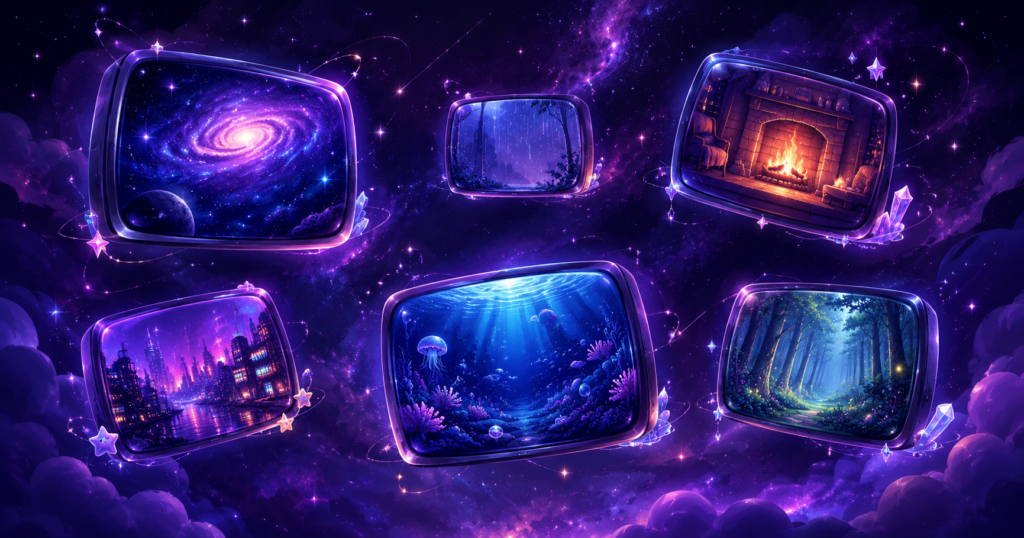
Most Popular Animated Background Styles 2026
- Cozy room scenes — animated fireplace, rain on windows, bookshelf
- Fantasy landscapes — glowing forests, magical castles, aurora skies
- Cyberpunk cities — neon rain, holographic ads, futuristic skylines
- Space scenes — nebulas, stars, slowly rotating planets
- Dark gothic — candles flickering, bats flying, moonlit graveyards
Animated Backgrounds: Technical Insights From Production
We produce animated stream backgrounds in-house and have learned things that most guides don’t cover. For background removal on animated emotes, we’ve tested 6 different AI models — isnet-anime consistently produces the cleanest results at 28px and below, while standard models struggle with fine detail at small sizes. Our animated overlays use WebM format for web delivery and MP4 for download — the format difference matters more than most buyers realize, as WebM loads 40-60% faster in browser-based streaming setups. Cozy/atmospheric backgrounds (fireplace, rain, candlelight) account for over 60% of our animated overlay sales, significantly outperforming action or gaming-themed backgrounds.
How to Add an Animated Background in OBS
- In OBS, click + in the Sources panel
- Choose Media Source
- Click Browse and select your .webm or .mp4 file
- Check Loop
- Resize/position under your webcam and game capture layers
Browse animated stream background packs →
Prefer to browse by theme? Visit our dedicated Animated Stream Backgrounds page for the full collection in one place.
Animated backgrounds for streams see most demand from streamers running just-chatting or co-streaming formats — gameplay-heavy channels tend to prefer static overlays that don’t compete with on-screen action.
UncommonUnearthings is a premium stream asset shop with 1,600+ Etsy sales and a 4.9★ rating. We create cute, dark cute, and horror-inspired emotes, sub badges, channel points, and stream overlays for Twitch, Discord, YouTube, and Kick. All products are instant digital downloads with transparent PNG files in all sizes. Browse our collection →