What Changed on Twitch in May 2026?
On May 13, 2026, Twitch rolled out Monetization for All — a global update that hands every streamer the same channel customization tools that used to be locked behind Affiliate or Partner status. Until now, custom emotes, sub badges, channel points, Bits, and subscriptions were reserved for streamers who had already cleared the Affiliate bar. That gate is gone. Starting day one, anyone can upload twitch emotes and badges to their own channel.
Twitch also lowered the Affiliate requirements themselves. You now need just 25 followers (down from 50), 4 hours of streaming (down from 8), streaming on 4 different days (down from 7), and 3 average concurrent viewers across those days. Together, the twitch monetization for all update and the easier Affiliate path mean the gap between “brand-new streamer” and “fully branded channel” basically disappeared overnight — and that’s a big deal for anyone just starting out.
Why This Matters for New Streamers
This is a genuine game-changer. Before May 2026, a new streamer could spend weeks — sometimes months — grinding toward Affiliate before they could even think about custom emotes. Now you can build your channel’s identity on your very first stream, and that matters more than it sounds.
Emotes are the language of your community. When viewers spam your emote instead of a generic one, they’re choosing your channel over everyone else’s. Channel points give people a reason to stick around and engage from minute one. Sub badges create a visual loyalty ladder that makes subscribing feel rewarding. Unlocking all of that on day one — instead of after the grind — means new streamers look and feel established immediately. The result of the twitch monetization for all rollout: a wave of new streamers searching for premade twitch emotes, because nobody wants to wait weeks on a custom commission when they could be live tonight.
How to Set Up Your Twitch Emotes in Minutes
Getting emotes onto your channel is faster than most people expect. Here’s the short version:
- Open your Twitch Creator Dashboard and head to Emotes.
- You’ll need PNG files with a transparent background in three sizes: 28×28, 56×56, and 112×112 pixels.
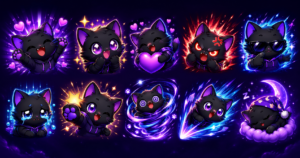
- The fastest route is a premade emote pack — it arrives ready to go, with every required size already exported.
- Upload each size, give your emote a name, and you’re done.
The math is simple. A custom emote commission runs €50-200+ and takes two to four weeks of back-and-forth with an artist. A premade twitch emote pack costs around €3-8 and downloads instantly, with all sizes included. For a brand-new streamer who wants to look professional this week, premade twitch emotes are the obvious move — browse the full collection in our shop and you can be uploading within minutes.
What About Sub Badges and Channel Points?
Emotes are only part of the Monetization for All update. Sub badges are now open to every streamer too — those little icons next to a subscriber’s name that show whether they’ve been around 1 month, 3 months, 6 months, or longer. Each tier gets its own design, building a visual loyalty progression that genuinely encourages viewers to keep their sub active. Browse ready-made sets in the sub badges category.
Channel points let you swap Twitch’s default reward symbol for a custom icon that matches your brand, and set up rewards viewers redeem just for watching. Custom channel point icons make the whole system feel intentional instead of generic. Quick size reference: sub badges use 18×18, 36×36, and 72×72 pixels, while channel point icons use 112×112 pixels. Every premade pack ships with the correct sizes, so there’s no resizing or guesswork on your end.
What We’ve Seen Since Twitch Opened Emotes to Everyone
Since Twitch announced that emotes, sub badges, and channel points are now available to all streamers (May 13, 2026), our store has experienced a measurable increase in first-time buyers — streamers who previously couldn’t monetize their channels. The most common first purchase from this new wave of streamers is a starter pack of 8-12 emotes at €3-4.50, not singles. This suggests new streamers understand they need variety immediately, not just one emote. We’ve also noticed that buyers from this cohort are more likely to purchase channel points icons alongside emotes in the same session — likely because both features became available to them simultaneously.
Best Emote Packs for New Streamers
Not sure where to start? Here are a few picks that work well for streamers setting up a channel from scratch:
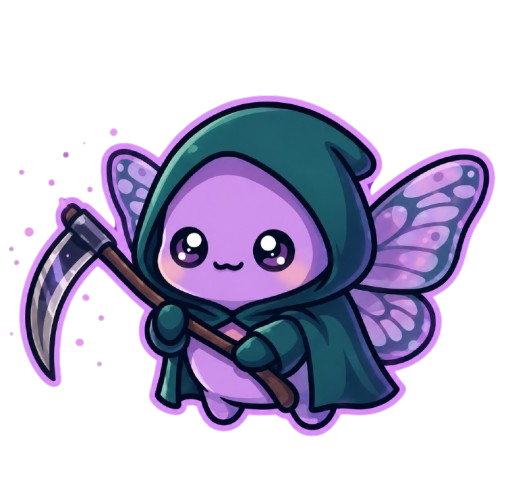
- Go big: the Grim Reaper 104-emote pack is an entire library in one purchase — ideal if you want every reaction covered from day one.
- Pick a vibe: the 36 Raccoon twitch emote pack gives you a focused, characterful set with personality to spare.
- Start small: the 12-pack of cute twitch emotes is a perfect, affordable starter kit.
- Add badges: the Cosmic Evolution sub badge set covers your loyalty tiers.
- Add channel points: the 26 Kawaii coin channel point pack rounds out your setup.
Mix and match to build a channel that looks cohesive across emotes, badges, and points — all with premade twitch emotes that upload in minutes, not weeks.
Ready to set up your Twitch channel?
Browse our full collection of premade emotes, sub badges, and channel points — instant download, all sizes included, ready to upload in minutes. Over 1,200 packs sold with a 4.8★ rating.
Since Twitch opened monetization tools to all streamers, our smallest-buyer segment (under 50 average viewers) has grown the fastest — channel point icons and small emote starter packs lead this group’s orders.

UncommonUnearthings is a premium stream asset shop with 1,600+ Etsy sales and a 4.9★ rating. We create cute, dark cute, and horror-inspired emotes, sub badges, channel points, and stream overlays for Twitch, Discord, YouTube, and Kick. All products are instant digital downloads with transparent PNG files in all sizes. Browse our collection →