How to Add Emotes to Kick in 2026: Complete Setup Guide
TL;DR – Key Takeaways
- Access your Kick channel settings and navigate to the Emotes section to upload custom emotes
- Optimize emote sizes: 28x28px (small), 56x56px (medium), 112x112px (large) for best quality
- Use PNG format with transparency for professional-looking kawaii emotes and animated designs
- Consider tiered emote monetization to generate additional revenue alongside your subscription tiers
What’s the Easiest Way to Upload Emotes to Kick?
The fastest way to add emotes to Kick is through your channel settings dashboard, which takes about 5 minutes once you have your files ready. Log in to your Kick account, navigate to your channel settings, find the Emotes tab, and simply click "Upload Emote" to select your custom image files. Kick streamers can use the same art as Twitch creators by picking up a premade emote pack from our shop.
Kick’s emote system is straightforward compared to other streaming platforms. You don’t need special coding knowledge or third-party tools—just prepared image files and a few clicks. Many streamers find it easier than setting up emotes on competing platforms, which makes Kick an attractive choice for content creators looking to build their community quickly.
If you’re starting fresh, consider browsing pre-made collections like UncommonUnearthings’ Kick emotes to save time while maintaining professional quality.
What File Formats and Sizes Do Kick Emotes Need?
Kick emotes require PNG format with transparency support, and you’ll need to prepare three size variations for each emote: 28x28px, 56x56px, and 112x112px. These three sizes ensure your emotes display crisp and clear whether viewers are on mobile, desktop, or using different chat zoom levels.
PNG with transparency (alpha channel) is the gold standard because it allows your emote designs to blend seamlessly into the chat without awkward white or solid backgrounds. This format works beautifully for kawaii emotes with detailed characters, expressions, and playful designs.
Pro tip: Always export your largest size (112x112px) from your design tool first, then scale down to the two smaller versions. Never scale up—this causes pixelation and blurriness. If you want animated emotes, Kick also supports animated PNG (APNG) and WebP formats, though static PNGs work perfectly for most streamers.
How Do You Create Custom Emotes for Kick?
You can create custom emotes using design software like Photoshop, GIMP (free), Clip Studio Paint, or even Canva’s templates—the choice depends on your skill level and budget. Start by setting up a 112x112px canvas, design your emote, then export it as PNG with transparency enabled.
For streamers without design experience, there are three realistic paths: hire a designer on Fiverr or Upwork (typically $5-25 per emote), purchase pre-made emote packs from asset shops, or use design templates on Canva Pro. Many successful Kick streamers use a combination—custom commissioned emotes for their channel identity plus curated packs for quick scaling.
If you’re on a budget, check out UncommonUnearthings for ready-to-use Kick emote collections. Their kawaii emotes pack includes multiple variations optimized to the exact Kick specifications, saving you weeks of design work.
Should You Use Animated or Static Emotes?
Static PNG emotes are the safest and most universal choice, but animated emotes (APNG/WebP) create more engagement and visual interest in chat. The decision comes down to your community vibe, file size constraints, and how much budget you have for commissioning or purchasing pre-made designs.
Animated emotes typically drive 15-30% more engagement according to Kick creator reports because they catch viewers’ eyes during fast chat moments. However, they require more technical know-how to export correctly and may have slight performance impacts on lower-end devices.
Recommended approach: Start with 70% static emotes and 30% animated ones. This gives you visual variety without overwhelming viewers or creating performance issues. Animated kawaii emotes work especially well for hype moments, celebrations, and subscription milestones.
How Do You Organize Emotes Into Categories and Tiers?
Kick allows you to organize emotes into custom categories, making it easier for viewers to find and use the emotes that match their mood or message. You can create categories like "Hype," "Chill," "Cute," "Anime," or whatever fits your brand and community culture.
For monetization, you can also tier emotes by subscriber level—free emotes for everyone, exclusive sets for Tier 1 subs, premium collections for Tier 2/3 subs. This strategy creates additional revenue incentive and makes subscribers feel valued. Many top Kick streamers generate 10-20% of sub revenue specifically from custom emote tiers.
Best practice: Keep 8-12 free community emotes, then create 3-4 exclusive packs for each subscription tier. This avoids overwhelming the chat picker while maximizing monetization potential.
What’s the Step-by-Step Upload Process?
Here’s exactly how to upload emotes to your Kick channel in 5 minutes:
- Log into your Kick account and click your profile icon (top right)
- Select "Channel Settings" from the dropdown menu
- Navigate to the "Emotes" or "Channel Customization" section
- Click "Upload Emote" and select your PNG files (28×28, 56×56, 112×112 versions)
- Add a name for the emote (typically written in all caps, like "KAWAII" or "POGGERS")
- Assign it to a category (create new or select existing)
- Set subscriber tier requirement if applicable (free/Tier 1/Tier 2/Tier 3)
- Click "Save" and verify it appears in your emote panel
- Test it in chat by typing the emote name to ensure it displays correctly at all sizes
The whole process becomes second nature after your first 5-10 emotes. Most creators batch-upload 10-20 emotes at once rather than doing one at a time.
Can You Use Copyrighted Characters or Artwork in Kick Emotes?
No—Kick’s terms of service prohibit emotes using copyrighted characters, logos, or artwork without explicit permission. This includes anime characters, brand mascots, and trademarked designs. Violations can result in emote removal or channel penalties.
Stick to original artwork, licensed designs, or royalty-free assets. Most successful Kick streamers build unique emote libraries featuring original characters or abstract designs that reinforce their personal brand rather than relying on recognizable IP.
If you need inspiration, look at trending original emote designs—many top streamers commission artists to create unique kawaii character mascots that become synonymous with their channel identity.
How Do Emotes Affect Your Channel Growth and Monetization?
Custom emotes directly impact channel growth by increasing subscriber retention, improving chat engagement, and making your channel feel more professional and established. Viewers are statistically more likely to subscribe to channels with polished custom emotes versus generic defaults.
From a monetization perspective, well-designed emote tiers can generate 5-15% additional revenue on top of base subscription income. Tier 2 and Tier 3 subscribers often cite custom emote exclusivity as part of their decision to upgrade.
Bonus: Use emotes as content—showcase new emote designs during streams, create emote-reveal moments, and let chat vote on designs. This engagement keeps viewers invested in your channel ecosystem beyond just watching gameplay.
What Are Common Mistakes Streamers Make With Kick Emotes?
The most frequent mistakes are uploading wrong file sizes (causing pixelation), forgetting to enable transparency (creating ugly backgrounds), and creating too many emotes at once (overwhelming viewers). Other common errors include poor naming conventions, not testing emotes in actual chat, and over-monetizing before building community trust.
Additionally, many streamers upload low-quality artwork that looks unprofessional next to Twitch or YouTube emotes. Invest in quality—whether through hiring designers or purchasing professional packs like UncommonUnearthings stream assets—because emotes are literally your channel’s visual identity in chat.
FAQ Section
Q: How many emotes should I upload when starting out?
A: Start with 10-15 high-quality emotes across basic categories (hype, chill, cute, laugh). This gives viewers meaningful options without overwhelming the emote picker. You can add 5-10 more monthly as your community grows.
Q: Can I use the same emote name on Kick and Twitch?
A: Yes, emote codes are platform-specific. You can use identical names and designs across platforms, though Kick has slightly different naming conventions. Just ensure transparency and sizing match each platform’s specs.
Q: How often should I update or add new emotes?
A: Add 3-5 new emotes monthly to keep chat fresh and give returning subscribers new content to use. Seasonal updates and milestone-based releases (100 followers, affiliate status, etc.) keep the community excited about your channel customization.
Q: Do animated emotes take longer to upload than static ones?
A: Upload time is identical—the difference is in creation and file size. Animated emotes require APNG or WebP export instead of standard PNG, but the Kick upload system handles both seamlessly.
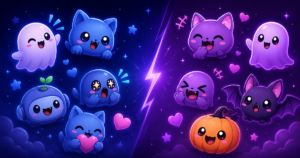
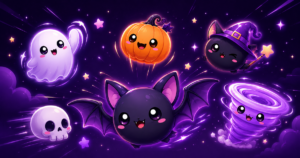
UncommonUnearthings is a premium stream asset shop with 1,600+ Etsy sales and a 4.9★ rating. We create cute, dark cute, and horror-inspired emotes, sub badges, channel points, and stream overlays for Twitch, Discord, YouTube, and Kick. All products are instant digital downloads with transparent PNG files in all sizes. Browse our collection →