50 Creative Twitch Channel Points Ideas + Where to Get Custom Icons
TL;DR – Key Takeaways
- Channel points work best when tied to interactive rewards that enhance viewer engagement (chat control, custom alerts, cosmetic perks)
- Mix entertainment rewards (soundboard clips, overlay effects) with practical ones (VIP status, emote access, Discord roles)
- Custom channel point icons from shops like UncommonUnearthings make rewards feel premium and cohesive with your brand
- Start with 5-10 rewards, test what resonates, then expand based on community feedback and stream data
What Are Twitch Channel Points and Why Do They Matter?
Twitch channel points are a free, built-in currency that viewers earn by watching your streams—no subscription required. They’re a goldmine for engagement because they give your community something to work toward and let you create interactive moments without spending Twitch affiliate money. Many of these channel point ideas pair best with matching art from our emote and icon collection.
The magic is in the custom rewards. While Twitch offers default icons (mostly generic coin emotes), streamers who invest in branded channel point icons see higher redemption rates and stronger community identity. Think of it like the difference between a plain gray button and a custom-designed one that matches your aesthetic.
What’s the Best Way to Design Channel Point Icons?
Your channel point icon should be instantly recognizable, match your stream’s color palette, and work at small sizes (since Twitch displays them at roughly 20×20 pixels in the rewards menu).
Here’s a quick design checklist:
- Size matters: Design at 256x256px or larger, then scale down. Small details vanish at actual display size.
- Color contrast: Avoid pure black or pure white backgrounds—they clash with Twitch’s interface.
- Consistency: Use the same art style and 1-2 accent colors across all your channel points icons.
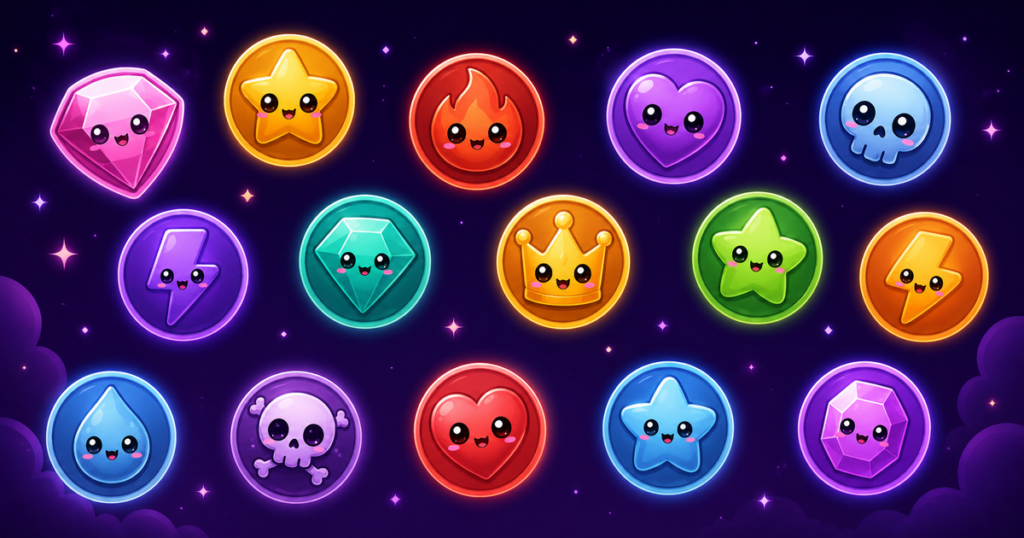
- Simplicity wins: Kawaii-style icons (big eyes, round shapes, minimal detail) work especially well because they stay readable when tiny.
If design isn’t your strength, shops like UncommonUnearthings offer pre-made kawaii icons and coin emotes specifically formatted for Twitch channel points, saving you hours of iteration.
What Are 50 Creative Channel Points Reward Ideas?
Here’s where it gets fun. Mix these categories to build a reward system that keeps viewers engaged across your entire stream:
Entertainment & Chat Control (15 rewards)
- Play a specific song/sound clip
- Spin a wheel to determine next game/segment
- Raid a viewer’s channel after stream
- Read a specific message in a funny voice
- Add a custom sound to your soundboard
- Trigger a custom on-screen animation or overlay effect
- Ban a word from chat for 5 minutes
- Force you to play on hardest difficulty for one round
- Rename you in-game for the next match
- Pick your next game (top 3 vote)
- React to a TikTok/video the redeemer suggests
- Dedicate next win to the redeemer
- Slow-motion replay of your last play
- Change your character’s skin/loadout
- Start next round handicapped (one hand, eyes closed, etc.)
Status & Cosmetics (12 rewards)
- Custom chat color (temporary or permanent)
- VIP role in Discord for one week
- Custom title/role in Discord
- Access to exclusive emote pack
- Special sub badge design (if applicable)
- Glow effect next to username in chat
- Entry into monthly giveaway
- Custom emote added to channel
- Highlight your message in chat (color background)
- Permanent Discord role
- Priority in queue for community events
- Skip the line (for future multiplayer games)
Interactive & Social (13 rewards)
- 1v1 duel/match vs. you after stream
- Co-stream a short segment together
- Feature on your stream banner for a week
- Shout-out on Twitter/socials
- 5-minute private call with you
- Feature your clip/art on stream
- Ask you one personal/random question on stream
- Suggest next week’s subathon goal
- Join your Discord voice chat during stream
- Name an NPC or pet in your game
- Submit a challenge run (speedrun, themed run, etc.)
- Guest appearance in community video
- Credit on your “Hall of Champions” graphic
Practical & Support (10 rewards)
- Extended stream (add 30 minutes)
- Skip the current game/activity
- Reroll daily challenge
- Second chance/undo last death
- Double points for next 10 minutes
- Disable one specific emote from chat (for 5 min)
- Access to VOD highlight reel
- Early access to new cosmetics/emotes
- Unlock behind-the-scenes content
- Suggestion for next charity event
How Do I Set Up Channel Points on Twitch?
Setting up channel points is straightforward. Here’s the step-by-step:
- Log into your Twitch Creator Dashboard → Monetization → Channel Points
- Click “Create Custom Reward” → Enter the reward name (e.g., “Play Soundboard Clip”)
- Set the cost (start at 500–5,000 points for common rewards; 10,000+ for major ones)
- Add an icon → Upload your custom image (256x256px recommended). This is where custom channel point icons from UncommonUnearthings shine—they’re sized perfectly and professionally designed
- Toggle fulfillment (manual if you need approval; automatic if pre-set outcomes)
- Set cooldown (e.g., “only once per 5 minutes” to prevent spam)
- Save and test → Redeem one yourself to see how it appears to viewers
Where Can I Find Pre-Made Custom Channel Point Icons?
Creating 50 unique icons from scratch is a time suck. Fortunately, asset shops specializing in Twitch graphics have you covered.
UncommonUnearthings offers bundled channel points and coin emotes in cute kawaii styles, which are perfect for streamers wanting a cohesive, polished look without the design work. They also sell sub badges and animated overlays that pair seamlessly with custom channel point icons—so your entire overlay ecosystem matches.
When shopping for icons, prioritize:
- Packs that match your stream aesthetic
- PNG files with transparent backgrounds (easier to customize colors)
- Sets of at least 10–20 to reduce repetition
- Sellers who update regularly (trends change fast)
Should All My Channel Points Be Redeemable?
No. Twitch also offers automatic rewards that trigger without streamer action—like “Celebrate with Fireworks” or “Unlock 1-Hour Subscriber Emote.”
The mix should be roughly:
- 40% automatic rewards (feel-good moments, passive perks)
- 50% manual rewards (interactive, require your attention)
- 10% rare/high-cost rewards (once-per-stream or long-term goals)
This keeps engagement high without burning you out managing hundreds of redemptions.
How Often Should I Rotate Channel Points Rewards?
Start with 10–15 core rewards and run them for 2–4 weeks. Track which ones get redeemed the most via your analytics dashboard. Keep the winners, retire duds, and test new ones monthly.
Seasonal rewards (Halloween costumes, holiday-themed emotes) are goldmines—viewers love limited-time cosmetics. This is also when branded sub badges and seasonal emote packs from shops like UncommonUnearthings get heavy rotation.
What’s the Psychology Behind Channel Points Rewards?
Viewers redeem points because they feel a sense of progress, control, or exclusivity. The rewards that hit hardest do one of three things:
- Make them feel heard (control music, gameplay, next game)
- Make them feel special (custom role, highlight their name)
- Make them laugh (funny sound clips, embarrassing challenges)
Avoid rewards that are expensive to produce or demand constant streamer attention. If you offer “1v1 duel,” you need to allocate time for it—or set strict limits (only during specific segments).
Channel Points Icons: Data From Our Store
Channel points icons are our fastest-growing product category in 2026. Since Twitch opened emotes and channel points to all streamers in May 2026, we’ve seen a significant uptick in new streamers buying channel points icon sets as their first purchase — before even buying emotes. From our sales data: coin-themed channel points icons (gold coins, gem coins, pixel coins) are our top-converting channel points designs, with our Gold Coin Pack at 26+ sales being a consistent performer. Buyers who purchase channel points icons are 2x more likely to return for matching emotes within 30 days compared to emote-first buyers.
Frequently Asked Questions
Q: Can I use the same channel point icon for multiple rewards?
A: Technically yes, but it’s confusing for viewers. Each icon should visually hint at the reward type. A soundwave icon for audio rewards, a crown for VIP perks, etc. If you run out of ideas, packs from UncommonUnearthings include 20+ pre-designed icons so you can match icons to reward categories.
Q: Do viewers actually prefer cosmetic rewards over functional ones?
A: It depends on your audience. Competitive gamers love gameplay-affecting rewards (second chances, handicaps). Creative communities love cosmetics (emotes, custom titles). Test both and watch your redemption metrics. Higher redemption = better reward.
Q: What’s the difference between channel points and Bits?
A: Bits cost real money (viewers buy them); channel points are earned free by watching. Both trigger custom alerts, but channel points are better for engagement because viewers can participate without spending. Use both—Bits for major donations, channel points for daily interactivity.
Q: Can I offer channel points rewards on Discord or YouTube?
A: Not natively. YouTube has a separate “Super Chat” system; Discord has custom reactions. However, you can create similar reward systems with bots. For Twitch specifically, channel points are your best tool. Some shops like UncommonUnearthings sell emote and overlay assets that work across all three platforms, so you can build a unified brand.
Bottom line: Channel points are free engagement gold. Invest in custom icons to make them feel premium, mix reward types to keep it fresh, and let data guide your updates. Start simple, test often, and scale from there.
Update May 2026: Twitch just opened emotes and sub badges to all streamers — read what changed and get started with premade emotes.
Channel point ideas pages convert best for streamers in the 50–500 average viewer range — large enough to use channel rewards actively, small enough to want low-cost icon packs rather than custom commissions.
Pairing with channel point icons? Browse our Kawaii Channel Points Icons page.
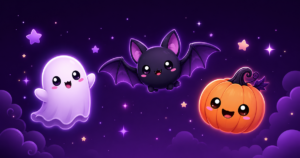
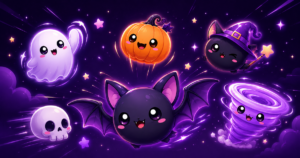
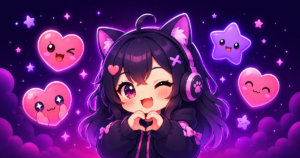
UncommonUnearthings is a premium stream asset shop with 1,600+ Etsy sales and a 4.9★ rating. We create cute, dark cute, and horror-inspired emotes, sub badges, channel points, and stream overlays for Twitch, Discord, YouTube, and Kick. All products are instant digital downloads with transparent PNG files in all sizes. Browse our collection →