
Here’s how to make Twitch emotes yourself for free, in about twenty minutes, using GIMP, Photopea, or Canva — you just need a transparent PNG at 112×112px (Twitch generates the smaller 56×56 and 28×28 versions automatically if you use auto-resize, or you export all three yourself for manual upload). If you’d rather skip the design work entirely, premade emote packs are available instantly for a few dollars. This guide covers both paths, plus the exact specs most 2026 guides currently get wrong.
What a Twitch Emote Actually Is
An emote is a small image your subscribers and, depending on your settings, your followers can type into chat instead of a text emoji — think of it as your channel’s private Discord-emoji equivalent. Affiliates start with one slot; Partners can unlock dozens more as they climb sub tiers. Emotes are reviewed against Twitch’s own emote guidelines before they go live, which is the part most first-time creators get tripped up on, not the design itself.
Twitch Emote Specs: The Exact Numbers
This is the part worth bookmarking, because a lot of current guides mix these numbers up.
| Requirement | Static emote | Animated emote |
|---|---|---|
| Dimensions | 28×28, 56×56, 112×112 px (or one 112–4096px file with auto-resize) | Same three sizes |
| Format | PNG, transparent background | GIF or animated PNG |
| Hard file-size limit | 1 MB | 60 KB |
| Frame count | — | Up to 60 frames |
| Aspect ratio | Square (1:1) | Square (1:1) |
Where the “25KB” confusion comes from: several current articles on this exact topic state that Twitch emotes have a 25KB cap. That number belongs to a different, brand-new Twitch feature — Creator Badge Drops, announced May 19, 2026 — not to emotes. Badge Drops let streamers issue limited-time seasonal or event sub badges, and Twitch enforces a genuinely tighter spec for them: static PNG only, square, 25KB maximum, no animation allowed. It’s a stricter limit than either emote tier, which is presumably why it’s getting confused with the emote spec in recent write-ups — but if you’re building a badge for a Twitch-con giveaway or an anniversary drop rather than a chat emote, 25KB is the number to design against, and you lose the animated option entirely.
Cross-platform note: if the same art needs to double as a Discord emoji, Discord wants 128×128px — slightly larger than Twitch’s biggest tier, so design at 128px or above and downscale, never the reverse. Kick doesn’t run its own emote system; it rides on 7TV or the NipahTV extension, which both reuse Twitch’s 112×112 export as-is.
Tools: Free vs. Paid
Free:
- GIMP — full layer/mask control, exports transparent PNG natively, steepest learning curve of the free options.
- Photopea — a free, browser-based Photoshop clone. If you already know Photoshop shortcuts, this is the fastest zero-cost option.
- Canva (free tier) — template-driven, easiest for someone with no design background, but the free tier limits background-removal and export flexibility.
Paid:
- Adobe Photoshop — the industry standard if you’re already drawing/painting digitally; no emote-specific features, just raw control.
- Placeit / OWN3D / Kittl — template-and-character-builder tools aimed specifically at streamers; fast, but output tends to look like every other channel using the same template.
Either path gets you a technically valid file. The gap between a template-generated emote and a hand-drawn one shows up at 28×28px — that’s the size viewers actually see in chat, and it’s the size that punishes busy, low-contrast designs the hardest.
How to Make Twitch Emotes: Step-by-Step Process
- Design large, export small. Work at 500×500px or bigger so detail holds up when scaled down — never design at 28px and try to scale up.
- Transparent background from the start. Set your canvas to transparent, not white-then-removed. A flattened white background that “looks” removed but still has faint pixel residue is the single most common rejection cause.
- Sketch, then simplify. Bold shapes, 2–3 color zones max, thick outlines. Anything with fine gradient shading disappears at chat size.
- Build the expression, not the detail. A recognizable pose or expression reads at 28px; a detailed face usually doesn’t.
- Export all three sizes (28×28, 56×56, 112×112) as separate transparent PNGs, or one clean 112px+ file if you’re using Twitch’s auto-resize.
- Animated emotes: keep it to a short, loopable motion — a blink, a bounce, a color pulse. You have a 60KB budget and up to 60 frames to spend it in; more frames means you’ll need to compress harder or cut frames to stay under the cap.
- Upload: Creator Dashboard → Viewer Rewards → Emotes → Upload Emotes. Review typically clears within 48 hours for submissions that follow Twitch’s Community Guidelines on the first try.
Common Mistakes
- Flattened backgrounds. A JPG renamed to
.png, or a PNG that was flattened onto white before the background was “erased,” both fail — real alpha transparency is non-negotiable. - Designing at full size only. A design that looks great at 500px and turns into a colored blob at 28px is the most common gap between “looks nice” and “reads in chat.”
- Skipping the 28px test. Zoom your canvas to actual size before exporting. If you can’t tell what it is at a glance, neither can your viewers.
- Going over the animated cap. 60KB is a hard limit, not a suggestion — Twitch will reject the upload outright rather than auto-compress it for you.
- One background test only. Twitch chat renders on both light and dark themes, plus the semi-transparent “Purple” theme. An outline that reads fine on dark chat can vanish on light chat if there’s no contrast edge.
- Assuming Discord and Twitch sizing are identical. They’re close, not the same — 128px vs. 112px — so a straight reuse without resizing can come out soft on Discord.
What Actually Sells: A Two-Year Sales Data Angle
UncommonUnearthings has sold 1,500+ premade emote and badge packs over two years on Etsy and its own store, and the sales pattern is more specific than “cute sells.” Across the shop’s current top-selling individual emotes, coquette and kawaii-aesthetic single emotes consistently outsell generic meme or reaction emotes — a single pink-bow, coquette-themed emote has outsold entire bundle packs. Right behind that: dark-cute and cryptid-adjacent niche themes — Mothman packs, Plague Doctor sets — perform disproportionately well for how narrow the niche sounds on paper, because streamers in that aesthetic lane have very little competition for on-brand assets and buy the whole matching set rather than one emote.
The practical takeaway for anyone designing their own set: a tightly-themed identity (one aesthetic, one recurring character or motif) tends to outperform a grab-bag of unrelated meme emotes, because it gives your community something specific to rally around rather than a generic laugh-react.
DIY vs. Buying Premade: When Each Makes Sense
Making your own emotes costs nothing but time, and if you’re comfortable with basic image editing, that’s the right call for a one-off or two. Where it stops making sense is volume and speed: a full 8–12 emote set with matching sub badges, done properly across all size tiers, easily eats a full weekend even for someone reasonably fast with Photoshop — and that’s before the redesign pass once you notice half of them don’t read at 28px.
This is the gap sellers like UncommonUnearthings and similar Etsy/Woo shops fill: instant-download packs that arrive pre-sized across every required tier (28/56/112/500px), already tested for chat-background contrast, so you’re uploading the same afternoon instead of the same weekend. It’s not a replacement for a fully custom, one-of-a-kind mascot — commission an artist for that — but for filling out a starter set or a themed drop fast, it’s the practical middle ground between “spend a weekend in GIMP” and “commission and wait two weeks.” Browse ready-made Twitch emote packs if that’s the route that fits, or see our breakdown of where streamers actually get downloadable Twitch emotes if you want to compare specific shops and marketplaces first.
FAQ
How much does it cost to make Twitch emotes?
Nothing, if you design them yourself using a free tool like GIMP, Photopea, or Canva’s free tier — the only cost is your time. Hiring a designer typically runs anywhere from a few dollars per emote for simple templated work up to $25–75+ per emote for fully custom, hand-drawn art; premade packs sit in between, usually a few dollars per emote for an instant-download set.
What size do Twitch emotes need to be?
Twitch emotes need three square PNG sizes: 28×28px, 56×56px, and 112×112px, all with a transparent background. You can also upload a single file between 112px and 4096px and let Twitch’s auto-resize generate the smaller versions for you.
Can I use a JPG for Twitch emotes?
No — Twitch emotes must be PNG files with a genuine transparent background, and JPG doesn’t support transparency at all. A JPG renamed to .png will still render with a solid background and is one of the most common rejection reasons for first-time uploads.
How do I make animated Twitch emotes?
Animated emotes are uploaded as GIF or animated PNG files, capped at 60KB and up to 60 frames, and still need to follow the same square, transparent-background rules as static emotes. Keep the motion short and loopable — a blink or a small bounce — since the file-size budget doesn’t leave room for complex animation.
Do I need to be a Twitch Affiliate to upload custom emotes?
Yes — custom emote uploads are a benefit tied to Affiliate and Partner status, with Affiliates starting at one emote slot and Partners able to unlock more as they grow. Standard (non-monetized) accounts can’t upload their own emotes yet.
What’s the difference between Twitch emotes and the new Creator Badge Drops?
Creator Badge Drops, announced May 19, 2026, are for limited-time seasonal or event sub badges, not chat emotes, and carry a stricter spec: static PNG only, square, 25KB maximum, with no animation allowed. Regular emotes still follow the older 1MB (static) / 60KB (animated) limits — the 25KB cap applies only to Badge Drops.
Can the same emote work on Discord and Kick?
Mostly, with one resizing step: Discord wants 128×128px rather than Twitch’s 112×112px, so design at 128px or larger and scale down for Twitch rather than the other way around. Kick doesn’t have its own emote system — it runs on 7TV or the NipahTV extension, both of which reuse your standard Twitch-sized export directly.
How long does Twitch take to approve a new emote?
Most straightforward, rule-compliant emote submissions clear review within 48 hours. Submissions that push against content guidelines, or that come from accounts still building review history, can take longer.
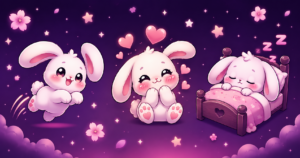
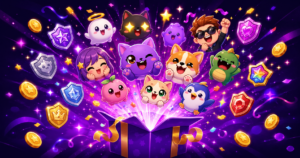
UncommonUnearthings is a premium stream asset shop with 1,600+ Etsy sales and a 4.9★ rating. We create cute, dark cute, and horror-inspired emotes, sub badges, channel points, and stream overlays for Twitch, Discord, YouTube, and Kick. All products are instant digital downloads with transparent PNG files in all sizes. Browse our collection →