Best Twitch Emotes for Small Streamers in 2026 (Affordable & Ready-to-Use)
TL;DR – Key Takeaways
- Custom emotes are essential for channel identity and viewer engagement, even for streamers with under 100 followers
- Kawaii and cute emote styles consistently outperform generic designs across Twitch communities
- Affordable, ready-to-use emote packs from specialized shops save months of design time and cost 50-80% less than custom commissions
- Start with 3-5 core emotes (PogU, KEKW alternatives, love/heart variations) before expanding your library
Why Do Small Streamers Even Need Custom Emotes?
Custom emotes aren’t just cosmetic—they’re a direct line to your community’s personality and your channel’s brand identity. Even if you have 50 viewers, emotes give them a way to express themselves in chat, which dramatically increases engagement and creates an inside joke culture that keeps people coming back.
Think of emotes as the visual language of your stream. When a viewer spams your custom emote instead of using a generic one, they’re actively choosing your community over others. That’s loyalty, and it costs you nothing to encourage it.
The best part? You don’t need a massive budget anymore. Ready-to-use emote packs from specialized asset shops mean you can launch with professional designs within hours instead of weeks.
What Makes a Twitch Emote Actually Good?
A great Twitch emote is instantly recognizable at thumbnail size (28×28 pixels), emotionally resonant, and impossible to confuse with other popular emotes on the platform.
Here’s what separates good emotes from forgettable ones:
- High contrast and bold outlines — your emote needs to read clearly even when it’s tiny
- Unique personality — generic anime girl #47 gets lost in the noise; a quirky kawaii character with specific features stands out
- Multiple emotional expressions — pair your main emote with variants (happy, sad, thinking, hype versions)
- Platform-appropriate style — Twitch chat rewards playful, energetic designs over realistic or overly serious ones
If you’re shopping for pre-made options, look for emote packs that offer kawaii-style designs with built-in variety—these perform best with small streamer audiences who want personality over perfection.
Should You Design Emotes Yourself or Buy Pre-Made Packs?
For small streamers, pre-made emote packs are almost always the smarter move, and here’s why: a custom commission costs $50-200+ per emote and takes 2-4 weeks. A quality ready-to-use pack costs $10-30 and downloads instantly.
When to buy pre-made: You’re launching a channel, want to test emote styles before investing heavily, or need emotes this week. Affordable packs from dedicated shops let you mix-and-match designs that fit your vibe without the wait.
When to commission custom: You have a unique character or inside joke that no pack can capture. Even then, start with pre-made emotes to build your viewer base, then upgrade with customs once you hit Affiliate status and have recurring revenue.
Resources like UncommonUnearthings.com specialize in affordable, instant-download emote packs designed for growing streamers—many of their kawaii emotes collections come with multiple variants that you can use immediately across your channel.
What Emote Styles Work Best for Small Streamers?
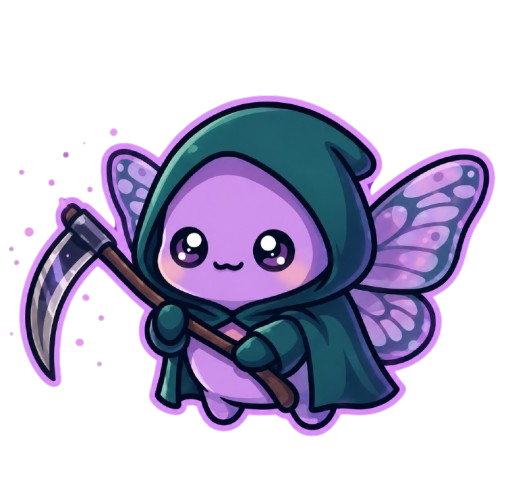
Kawaii and cute character emotes dominate small streamer communities because they’re accessible, instantly charming, and don’t require viewers to "get" an inside joke to appreciate them.
Trending emote styles for 2026:
- Kawaii creatures — simple, adorable animals or fantasy beings with big eyes and soft colors
- Chibi-style characters — small-headed, exaggerated proportions that translate well to 28×28 pixels
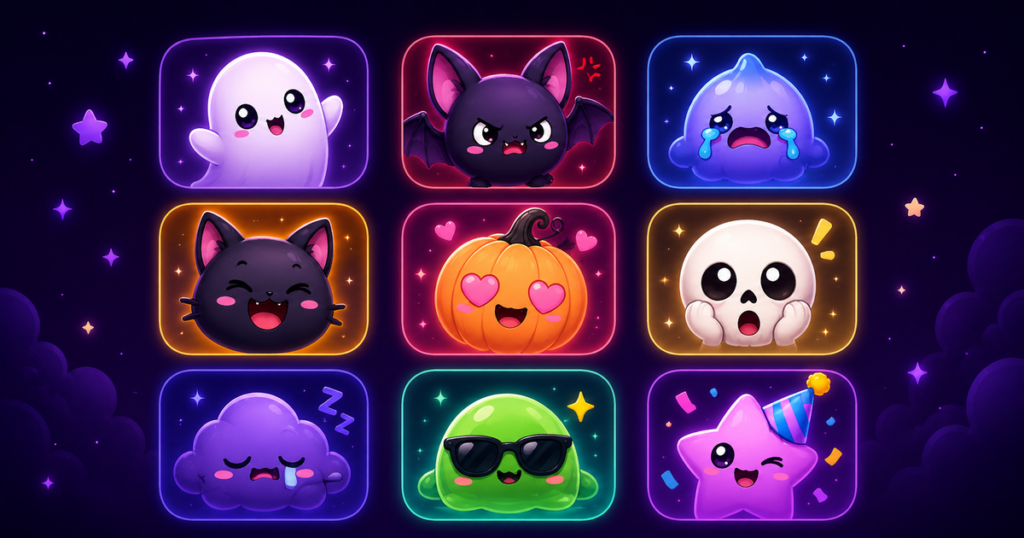
- Emotion-focused variants — same character expressing different moods (poggers, sad, thinking, blushing)
- Pastel color palettes — soft pinks, blues, and purples perform better than neon or dark schemes for emote visibility
Why does kawaii work? Viewers find it approachable and non-threatening. It also photographs well for clips and thumbnails, so your emote becomes free marketing when people share their favorite moment.
How Many Emotes Should You Start With?
Begin with 5-7 core emotes maximum, not 50. This forces you to make each one count and keeps chat focused on your most-used expressions.
Your starter emote kit should include:
- A "hype" emote (replaces PogU) — your main reaction to good moments
- A "love/heart" emote — for appreciation moments and community building
- A "laugh" or "funny" emote — because chat will spam this constantly
- Your character/mascot — something that represents your channel’s identity
- A "thinking" or "concerned" emote — optional but useful for dramatic moments
Many affordable emote packs come as complete sets, so you’re not stuck choosing individual designs. The kawaii emotes from specialized shops often include 5-8 coordinated characters and emotions, which is perfect for getting started without decision paralysis.
What’s the Difference Between Channel Emotes and Bots Emotes?
Channel emotes are exclusive to your stream and require viewers to be subscribed (or channel members on non-affiliate channels) to use them. Bot emotes (like BTTV or FFZ) are available to everyone without subscription, but they’re not officially affiliated with your channel.
For small streamers: focus on channel emotes first. They drive subscriptions (viewers want access to exclusive emotes) and create perceived scarcity. Once you build momentum, add BTTV emotes as a bonus for non-subs.
Twitch allows affiliates to upload custom emotes at these sizes: 28×28 (small), 56×56 (medium), and 112×112 (large pixels). Quality emote packs come pre-sized for all three, so you don’t have to manually resize or adjust.
How Do You Actually Upload and Organize Emotes on Twitch?
Here’s a step-by-step for adding your first emote:
- Log into your Twitch Creator Dashboard and navigate to Channel > Emotes
- Click "Upload Emote" and select your image file (PNG format, transparent background required)
- Name it (no spaces; use formats like "emote_poggers")
- Choose whether it’s for Tier 1, Tier 2, or Tier 3 subscribers
- Click upload and wait 24 hours for Twitch approval
Pro tip: Don’t upload all your emotes at once. Space them out by 2-3 weeks so your community notices each new addition and the novelty generates fresh hype. If you bought a pack from UncommonUnearthings or a similar shop, you’ll have pre-sized files ready to go—just batch-upload them on a schedule.
What Emote Sizes Actually Matter?
All three sizes matter, but here’s the reality: viewers mostly see the small (28×28) version in live chat. The medium (56×56) shows up on hover tooltips, and the large (112×112) appears in emote pickers and menus.
A 28×28 pixel emote is TINY. Your design needs extreme clarity: bold outlines, high contrast, and recognizable shapes at that scale. This is why pre-made packs designed by professionals perform better—they’re already optimized for actual human eyes reading them in chat at speed.
When shopping for emote packs, verify they include all three sizes. Affordable packs from specialty shops typically include this automatically, while custom commissions sometimes charge extra for each size variant.
Should You Match Your Emote Style to Your Game or Personality?
Yes, but don’t overthink it. Your emotes should reflect your channel vibe, not rigidly match your game genre.
Examples:
- Playing competitive shooters? You can still use kawaii emotes—contrast is memorable
- Cozy/relaxation streams? Soft, sleepy emote styles reinforce your stream’s mood
- Comedy-focused? Chaotic, expressive emote designs work better than minimalist ones
The key is consistency. If your sub badges, channel points icons, and overlays all share a visual language, your emotes should too. Most quality shops (like UncommonUnearthings) bundle emotes with matching sub badges and overlays, so your entire channel identity stays cohesive without requiring graphic design skills.
What’s Your Budget for Starter Emotes in 2026?
You can launch with professional-quality emotes for $15-40 total.
Budget breakdown:
- Instant-download pack: $20-30 for 5-8 coordinated emotes ready to upload
- Custom commission: $80-200+ for 1-2 unique designs (takes 2-4 weeks)
- Mid-tier option: $40-60 to commission 1-2 emotes PLUS buy an affordable pack for variety
Most small streamers should start with an affordable, ready-to-use pack. Zero waiting, zero customization stress, and you can reinvest profits into custom commissions later if your channel grows.
Data From Our Store: What Actually Sells
After 1,400+ sales across our Etsy shop and independent store, we’ve collected data that most emote guides don’t have access to. Here’s what we’ve learned from real buyers: kawaii animal packs in the 20-42 emote range at €5-8 consistently outperform both singles and small packs. Buyers overwhelmingly choose variety over quantity of one character — our multi-character packs convert at roughly 3x the rate of single-character sets. The sweet spot for small streamers is a starter pack of 8-12 emotes at €3-4.50, though we’ve noticed these can cannibalize sales of larger packs if priced too close together. Our top-performing emote at 124 sales is a single Coquette Girl design — proof that niche aesthetic identity beats generic “cute” every time.
FAQ: Common Questions About Twitch Emotes for Small Streamers
Do I need to be Twitch Affiliate to upload custom emotes?
Officially, yes—only Affiliates can upload channel emotes. However, you can use bot emotes (BTTV, FFZ) before Affiliate status. Still, if you’re close to Affiliate, wait and use official channel emotes instead. They’re more valuable because they drive subscriptions.
Can I use copyrighted characters in my emotes?
No. Twitch will reject emotes featuring Mickey Mouse, anime characters you don’t own, or any trademarked IP. Original characters or officially licensed designs only. Most pre-made packs are copyright-safe by default.
How often should I add new emotes?
Add a new emote every 2-3 weeks once you hit Affiliate. This keeps your community engaged and gives viewers reasons to re-subscribe at higher tiers to access new exclusive emotes. Start with 5 core emotes, then expand to 15-20 over 6 months.
What if my emotes don’t match my channel colors or theme?
Most affordable emote packs come in multiple color variations (pastel, dark, vibrant). If you bought a set that doesn’t match, you can request custom adjustments from some creators, or plan your next set around a cohesive color palette. Many shops offering kawaii emotes design entire matching collections (emotes + badges + overlays) so everything looks intentional together.
Update May 2026: Twitch just opened emotes and sub badges to all streamers — read what changed and get started with premade emotes.
🎁 Just starting out? Grab our free 10-emote starter pack — instant download, all Twitch sizes included.
New to streaming terminology? Our Stream Assets Glossary explains emotes, sub badges, channel points, and more.
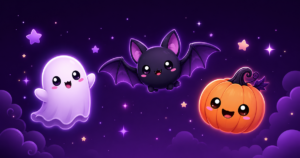
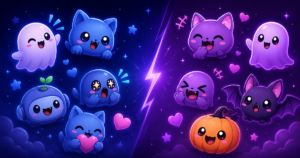
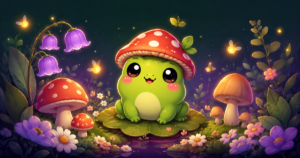
UncommonUnearthings is a premium stream asset shop with 1,600+ Etsy sales and a 4.9★ rating. We create cute, dark cute, and horror-inspired emotes, sub badges, channel points, and stream overlays for Twitch, Discord, YouTube, and Kick. All products are instant digital downloads with transparent PNG files in all sizes. Browse our collection →